
Manage staff changes
Issue access to new starters and remove it when someone leaves. With a suitable electronic system, a lost card or fob can be disabled without changing a mechanical lock.
ACCESS CONTROL FOR COMMERCIAL SITES
Manage access to your doors and restricted areas with permissions that fit your staff, visitors and contractors.
From offices and warehouses to factories, shops and commercial estates, discuss a new system or an upgrade with ACS. Start with the doors you need to control and the equipment you already have.
Prefer to write? Send an access control enquiry.
WHAT DO YOU NEED TO CHANGE?
Commercial access control manages who can enter specified doors or areas at a business site. Electronic systems let an authorised administrator manage credentials and permissions.
Issue access to new starters and remove it when someone leaves. With a suitable electronic system, a lost card or fob can be disabled without changing a mechanical lock.
Plan who can enter offices, stockrooms, plant rooms and other controlled spaces. Set permissions around roles, working hours and your site’s risks.
Discuss how visitors, contractors and temporary staff receive access, how long it lasts and who is responsible for removing it.
CHOOSE A PRACTICAL ENTRY METHOD
The right choice depends on the people using it, the doors it controls and the way your team manages access. You do not need to decide on the technology before calling.
A physical credential for day-to-day entry. Consider how it will be issued, replaced and disabled, and which readers it works with.
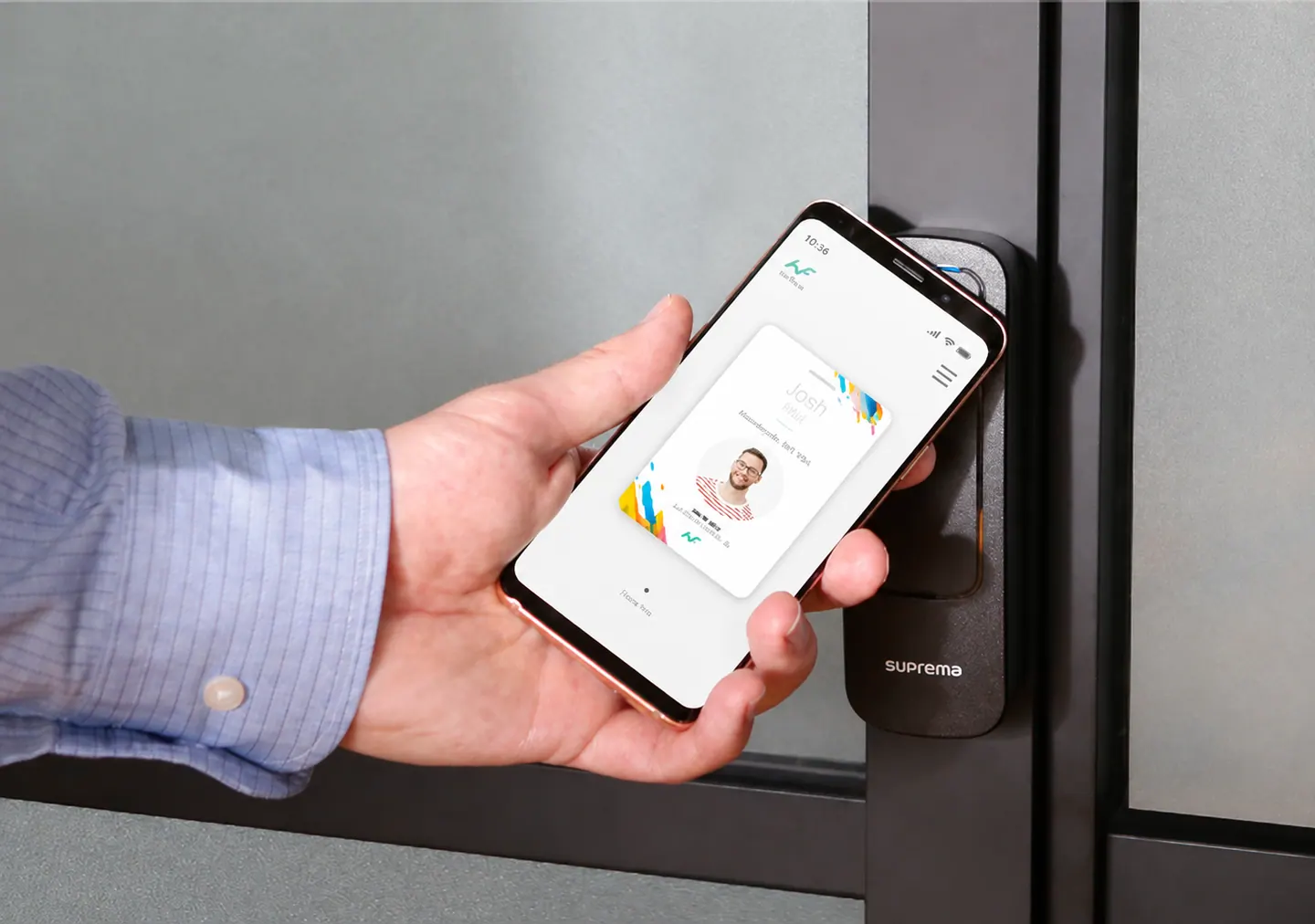
A compatible phone can act as a credential. Check supported devices, licences, user preferences and a fallback for people without a suitable phone.
A biometric reader uses a physical characteristic to check identity. Assess suitability, accessibility and privacy requirements before choosing this method.
An entry record shows that a credential was used. It does not, by itself, prove everyone’s current location or provide a complete evacuation register.
NEW SYSTEM OR EXISTING EQUIPMENT
Review your readers, controllers, locks and management software before committing to a replacement. Some equipment may be reusable; compatibility needs checking.
Tell us your site type, approximate door and user numbers, and the issue you want to solve. Manufacturer or model details help if you have them.
Call ACS: 01344 771569No technical specification needed to start.
Explore an ACS security review ↗FIT THE WAY YOUR SITE WORKS
Discuss shared entrances, tenant areas, meeting visitors and staff working different hours.
Commercial premises ↗Plan staff entrances, controlled work areas and permissions for maintenance contractors and shift teams.
Manufacturing sites ↗Separate public-facing spaces from stockrooms, offices and staff-only areas, with practical access for changing teams.
Retail premises ↗A CLEAR NEXT STEP
Explain your premises, users and current access arrangements. Focus on the changes that matter most.
Discuss compatibility checks, any site review, door hardware and installation arrangements.
Clarify training, licences, maintenance and ongoing support before agreeing a proposal.
For a wider solution, explore CCTV for business premises and TPR visitor and site safety workflows. Any integration needs a confirmed scope.
BEFORE YOU CALL
Commercial access control manages who can enter specified doors or areas at a business site. Electronic systems use credentials such as cards, fobs or compatible phones, with permissions set by an authorised administrator.
Possibly. ACS can review your current readers, controllers, credentials and software before recommending changes. Compatibility, condition and support availability determine what can be retained. Have the manufacturer and model details ready if you know them.
Many systems can be extended, but capacity, licences, wiring and network design need checking at the outset. Discuss your first phase and likely future requirements so the proposal accounts for both.
In a suitably managed electronic system, an administrator can disable a credential or change permissions. Agree who handles these changes and how quickly updates reach each door, especially if some equipment works offline.
Behaviour depends on the locks, controllers, power backup and system design. Discuss which functions continue locally, how doors behave and how emergency exit is maintained. These arrangements need to be reviewed for the actual site with the appropriate competent people.
Their requirements can form part of the design. Discuss who approves access, the doors and times allowed, credential collection and expiry. Registration and access permissions are related tasks, but they are not automatically the same thing.
The impact depends on door hardware, cabling, power, network access and the work required. Agree the work sequence, any downtime and temporary access arrangements before installation. Do not assume an upgrade is disruption-free.
Connections depend on the products, software versions, licences and required workflow. ACS can discuss access control alongside CCTV and TPR. Confirm compatibility and the exact information exchanged before treating systems as integrated.
Cost depends on door numbers and types, locks, readers, cabling, software licences, credentials and ongoing support. Reusing compatible equipment can affect the scope. Start with your doors, users and priorities so ACS can discuss a suitable next step.
Tell us your type of premises, roughly how many doors and users are involved, and what you want to improve. Existing system details help if available, but you do not need a technical specification to start.
TALK ABOUT YOUR REQUIREMENTS
Tell us about your premises and what you want to improve. Start with a call to ACS.